Veterans Enrolling for the First Time Start Here

If you are a veteran enrolling for the first time this is where to begin. Click through to read the steps. This guide helps you to get started and get all the information you need to enroll for the first time in community college.

Checklist for Enrollment

New veterans should download, read and complete the Veterans Statement of Responsibility

For assistance along the way, connect with us at the GCC Veterans Resource Center:

Email the GCC Veterans Resource Center 
Phone: (818) 240-1000 Ext. 3362

NOTE: Certification is not automatic. To have your classes certified and submitted to the VA, you must email the Veterans Certifying Official. It is the Veteran Student responsibility to get their classes certified each semester.

Submit an online application.

  1. Create your OpenCCCApply Account
  2. Complete your Admissions Application Online. Be sure to select the correct Military Status on your Application ex. Active Duty, Veteran, etc.
  3. Read your application email response from Glendale Community College and follow the directions in the email.
  4. We advise you to print out the confirmation page that your application has been submitted.
  5. Students transferring from other colleges must have all official transcripts sent to the Admissions & Records Office.

Don’t forget to make an appointment with a Veteran’s counselor.

  1. Make an appointment with the Veteran’s counselor
    Email Jolie Morris gccvrc@glendale.edu or Call (818)240-1000 ext. 3362 — Before you can make an appointment with the Veteran Counselor, you must have the following items to your appointment:
    • Official Sealed Academic Transcripts (Course Descriptions for all out-of-state college courses completed Certified and Syllabus for Math and English)
    • Certification of Release or Discharge (DD-214 - Member 4)
    • Certification Eligibility letter from the VA

  2. Email the A&R Veterans Certifying Official
    Email the following documents to Veterans Resource Center gccvrc@glendale.edu
    • Certification Eligibility letter from the VA
    • Certification of Release or Discharge (DD-214 - Member 4)
    • Each semester fill out the Semester worksheet with the classes you are enrolled in. Must have Veterans Counselor Signature.

  3. Register for classes:
    Register online, based on your registration date/time. Check your registration date through MyGCC. Make sure you’re enroll in the classes on your Student Educational Plan (SEP) provided by your Veterans counselor.

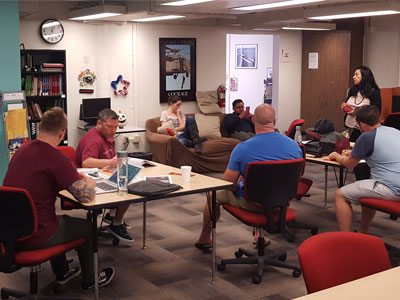
Welcome to a thriving veterans learning environment.

  • If fees are required, pay your fees online with a credit card (MasterCard, VISA) OR pay in person at the Student Fees Office, located in the 3rd floor of the Sierra Vista Building.
  • After you are fully registered (not on a wait list), email the Semester worksheet with the classes you are enrolled in. Must have Veterans Counselor Signature to Veterans Certifying Official. You will then begin to certify your units with the Veteran’s Administration (VA).

NOTE: Certification is not automatic. To have your classes certified and submitted to the VA, you must email the Veterans Certifying Official. It is the Veteran Student responsibility to get their classes certified each semester. ** We do not certify over the phone **