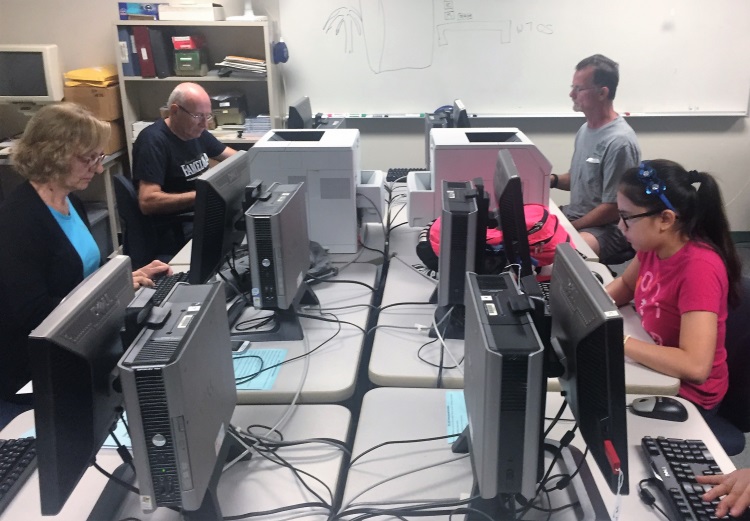
Class of students in High Tech Center

Welcome to ARC's Computer Lab

Our computer lab is a supportive environment designed to meet the needs of students with disabilities. We offer students educational technology resources for note-taking, reading, writing, and math.

We help students navigate their Glendale portal, access their campus email, how to apply to Glendale college, register for their classes, and connect them to their office 365 accounts. We also support them when it comes to learning Zoom and navigating Canvas.

Our goal is to promote universal access to information and to ensure that students with disabilities have access to the most effective technology available for achieving their academic and vocational goals.

Plan Ahead

Students will be helped on a first come, first serve basis.

Students should first meet with their academic counselor to get their educational plan, list of classes and/or section numbers.

Students without an educational plan, list of classes and/or section numbers will be referred to their academic counselor.

Educational Technology

Browse ARC’s collection of educational tools available to help you succeed.

For more information how to use the educational tools below, please contact Rogelio at ARC or make a schedule by emailing arc@glendale.edu.

Microsoft Office 365 includes Word, Excel, PowerPoint, OneNote, Teams and OneDrive (with 1TB of storage in the cloud). 

FREE for GCC students


Microsoft's OneDrive provides 1TB of online storage that students can use to store their documents, assignments, and other files. Students will be able to access their files from any device. (Students must have access to the internet and logged into their account.)

Kurzweil 3000 is an assistive technology software program that helps students and adults improve their reading, writing, studying, and test-taking skills. It is widely used in schools and colleges to support individuals with learning differences, including dyslexia, ADHD, and other reading or writing challenges.

What Kurzweil 3000 Can Do

  • Reads text aloud using natural-sounding text-to-speech voices while highlighting each word, making it easier to follow along and improve reading comprehension.
  • Converts printed documents into digital text using optical character recognition (OCR), allowing books, worksheets, and handouts to be read aloud.
  • Supports writing with word prediction, spell check, speech-to-text dictation, and writing templates.
  • Provides study tools such as highlighting, note-taking, bookmarks, vocabulary support, and automatic study guide creation.
  • Offers dictionaries, translations, and definitions to help users understand unfamiliar words and passages.
  • Works with many file types, including PDFs, Word documents, webpages, and scanned materials.
  • Helps with test-taking by providing accessible reading and study supports while following approved accommodation guidelines.

Overall, Kurzweil 3000 is designed to make learning more accessible by helping users read, write, and study independently while improving confidence and academic success.

Jamworks is an AI-powered note-taking and study support platform designed to help students capture, organize, and understand lecture content. It records and transcribes lectures, then uses AI to turn them into clear, structured study materials. Jamworks is especially helpful for students who have difficulty keeping up with note-taking during class, including those with learning differences, attention challenges, or who are studying in a second language.

What Jamworks Can Do

  • Records and transcribes lectures with live captions, allowing students to focus on listening instead of trying to write everything down.
  • Creates AI-generated lecture notes that organize key concepts, summaries, and important details from each class.
  • Enhances your own notes by expanding and improving them with information from the lecture transcript.
  • Provides an AI study tutor that answers questions using your lecture recordings and notes, giving course-specific explanations instead of generic responses.
  • Generates study materials such as flashcards, quizzes, summaries, and key points to help with exam preparation.
  • Supports STEM subjects by accurately displaying mathematical equations and scientific formulas in notes.
  • Allows note-taking alongside lecture slides, making it easier to connect written notes with presentation content.
  • Includes accessibility features such as screen reader compatibility, customizable display settings, and support for multiple languages.

Overall, Jamworks helps students spend less time worrying about taking perfect notes during class and more time understanding, reviewing, and remembering what they have learned. 

For over 20 years, Freedom Scientific has provided access to print and computers for individuals with blindness and low vision. Our innovative technology is designed to promote independence, allowing blind and low-vision individuals the same access to information as their sighted peers. Our team is passionate about what we do and committed to the communities that we serve. 

Visit https://www.freedomscientific.com or Free Home License to get started.